

Super Bear Adventure iOS Download for iPhone & iPad (v13.0.6)
Requirements
iOS 15.0 or later
Version
13.0.6
Size
461.1MB
Category
Adventure
Updated
September 27, 2026
Developer
Earthkwak Games
Some games feel best when they are always in your pocket, and Super Bear Adventure is one of them. But if you own an Apple device, you probably have a few questions before you install it. Is the game available on the App Store? Does it run well on an iPhone or iPad? And is it the same adventure that Android players get? The answer to all three is yes, and you can be playing within a few minutes.
Super Bear Adventure iOS gives you the same 3D world, the same bear-rescue missions, and the same customization, all on a screen that responds quickly to touch. The game is free to download from the App Store, and it also works offline, so you can keep exploring when you have no signal. Some cosmetic bundles are paid, but the main adventure does not need them.
So, if you have been searching for the safest way to get Super Bear Adventure on your iPhone or iPad, this page covers the download steps, requirements, updates, and common problems in one place.
Super Bear Adventure iOS App Detail
| Information | App Detail |
| Game Name | Super Bear Adventure |
| Developer | Earthkwak Games |
| Version | v13.0.5 |
| Updated | September 27, 2026 |
| Category | Adventure / 3D Platformer |
| Main Character | Baaren |
| Platform | iPhone, iPad (Mac with Apple M1 or later and Apple Vision also listed) |
| Requires | iOS 15.0 or later |
| Game Modes | Single Player & Multiplayer |
| Offline Play | Yes |
| Price | Free with optional in-app purchases |
What is Super Bear Adventure iOS?
Super Bear Adventure is a 3D platformer made by Earthkwak Games and inspired by late 90s adventure games. It first came out on Android in 2017, and the iPhone and iPad version followed a few years later. The story is the same on both platforms. The bees in the kingdom have started making purple honey, and anyone who eats it turns into a mindless enemy. You play as Baaren, a brave bear who has to free his friends and restore the kingdom.
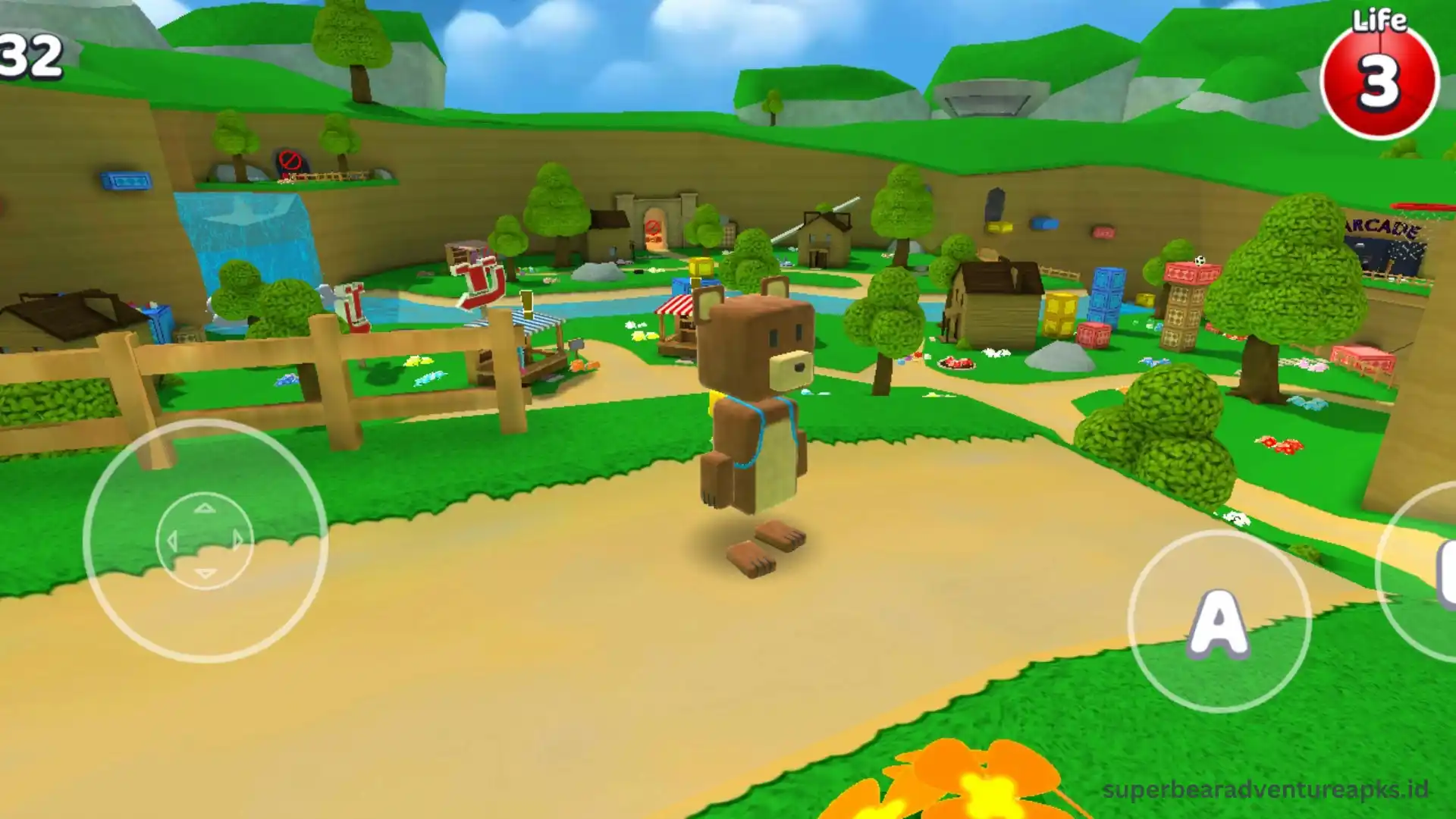
The iOS version is not a lighter copy of the Android game. You get the same open regions, secrets, coins, hats, vehicles, daily challenges, and mini-games. The only real difference is how you download and update it, since everything goes through the App Store.
What’s New in the Latest Version of Super Bear Adventure iOS
The game received a big content update in version 13.0.0, and the versions after it have mostly fixed bugs. Here is what the update brought to iPhone and iPad players:
Super Bear Adventure iOS System Requirements
Before you install the game, check that your Apple device is supported. The App Store lists the following for the current version.
| Category | Requirement |
| iPhone and iPad | iOS or iPadOS 15.0 or later |
| Mac | macOS 12.0 or later, with an Apple M1 chip or newer |
| Apple Vision | visionOS 1.0 or later |
| Free Storage | 1 GB or more recommended |
| Internet | Needed for downloads, updates and multiplayer |
The required iOS version can differ slightly between App Store regions, so always look at the requirements shown on your own store page.
How to Download Super Bear Adventure iOS
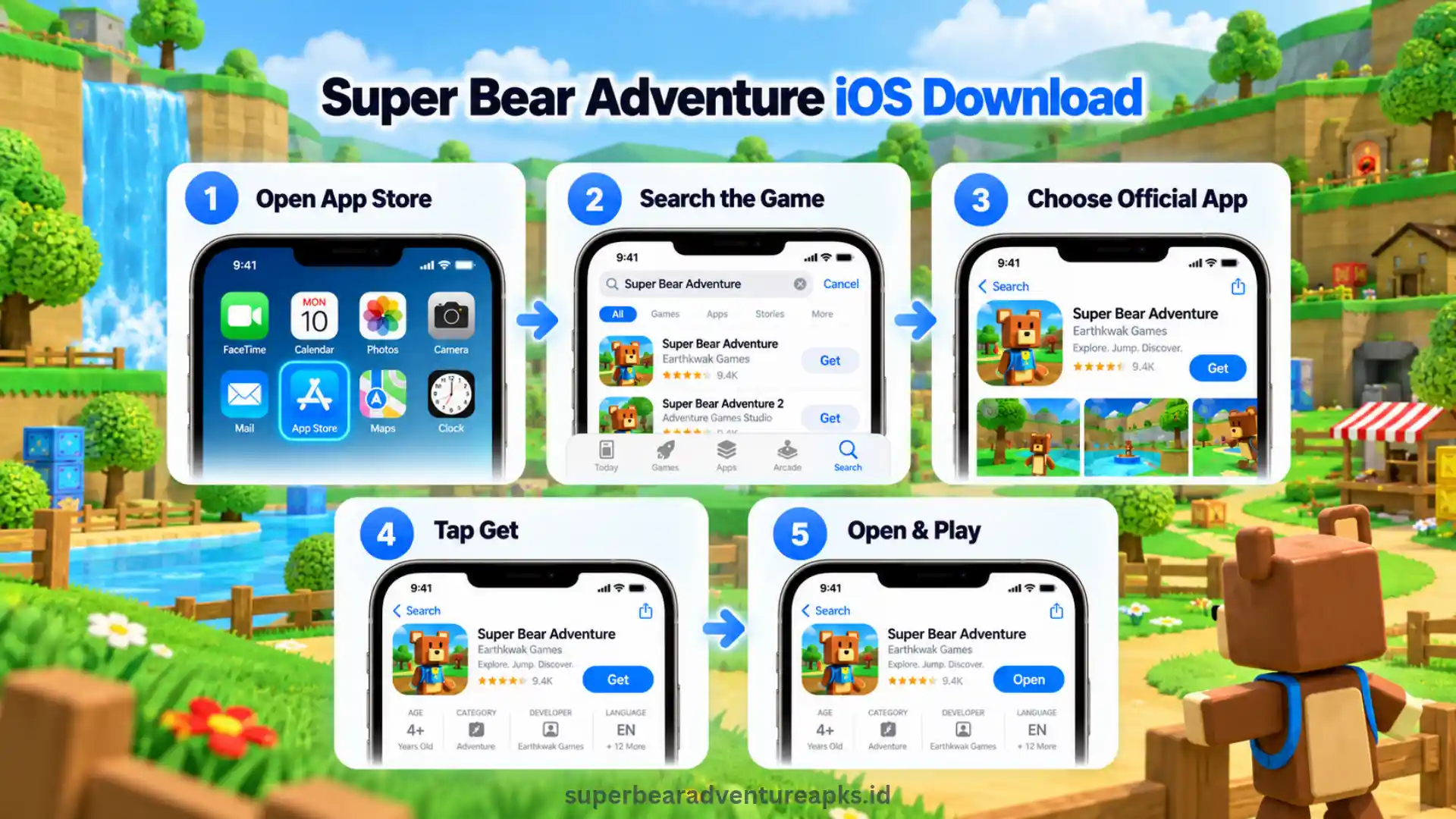
The easiest and safest way to get the game is from the App Store. There is nothing extra to set up, and the game updates itself when new versions arrive.
Super Bear Adventure iOS Store Download on iPhone
Super Bear Adventure on iPad
The steps are the same on an iPad. Open the App Store, search for the game, tap Get, and wait for it to install. The larger iPad screen is great for exploring the wide 3D regions, and you can see hidden spots more easily than on a small phone.
If you use the same Apple ID on both devices, you can also open the App Store on your iPad, go to your account page, and download the game from your purchased list.
Super Bear Adventure on Mac and Apple Vision
Macs with an Apple M1 chip or newer can run the game straight from the Mac App Store. You do not need an emulator. Older Intel Macs are not listed as supported, so a PC or Android emulator is a better choice there. You can read our Super Bear Adventure PC page for that.
How to Update Super Bear Adventure iOS
Keeping the game up to date matters because new versions fix bugs and add content. There are two ways to do it:
Manual update: Open the App Store, tap your profile picture, scroll to the updates list, and tap Update next to Super Bear Adventure.
Automatic update: Go to Settings, open App Store, and turn on App Updates. Your iPhone or iPad will then install new versions on its own.
If the update button does not appear, your device may not meet the newest iOS requirement. In that case, the App Store may offer the latest version that your device supports.
Top Features of Super Bear Adventure iOS
The game has a lot going for it on Apple devices. Here is what makes it fun to play on an iPhone or iPad.
Smooth Performance on Apple Chips
Apple processors handle 3D games well, so water, bear movements, and combat feel natural. The game is fairly light, which means most supported devices stay cool during normal play sessions.
Quick Touch Controls
Platforming depends on timing, and touch response matters a lot when you are jumping between moving platforms or fighting enemies. The on-screen joystick and buttons feel simple once you play for a little while, and you can use a game controller if you prefer one.
Open-World 3D Platforming
Each region is a large open space with mountains to climb, buildings to enter, and secrets hidden away from the main path. You can follow the story or wander off whenever something looks interesting.
Customization and Collectibles
Coins, hats, outfits, and hidden items give you a reason to search every corner. With the reworked customization area, changing Baaren’s look is quicker than before.
Vehicles, Daily Challenges and Mini-Games
Vehicles help you cross big areas faster, while daily challenges and arcade mini-games give you something different to do between missions.
Super Bear Adventure Offline on iOS
You do not need an internet connection to enjoy regular single-player content. Once the game is installed, you can explore, rescue bears, and complete missions on a plane, on a train, or anywhere with weak signal. You only need to go online for updates, multiplayer, and downloading the game in the first place.
Super Bear Adventure Multiplayer iOS
Multiplayer lets you explore with other players instead of going through the kingdom alone. It needs a stable internet connection, and it is not part of the offline experience.
New features can reach different platforms at different times, so update the game to the latest App Store version first. Then check the in-game menu to see which multiplayer options are available on your device.
Super Bear Adventure iPhone and iPad: Which One is Better?
Both devices run the same game, so the choice comes down to how you like to play.
| Feature | iPhone | iPad |
| Screen Size | Small and easy to carry | Large and easier to see details |
| Touch Controls | Thumbs can cover part of the view | More space for your hands |
| Portability | Always with you | Better at home or on a desk |
| Hidden Items | Harder to spot | Easier to notice |
| Battery | Drains faster on long sessions | Usually lasts longer |
If you play in short bursts, an iPhone is perfect. For long sessions or hunting secrets, an iPad gives you a more comfortable view.
Super Bear Adventure iOS IPA: Should You Use It?
An IPA is the file format that iPhone and iPad apps use, in the same way Android apps use APK files. Many players search for the Super Bear Adventure iOS IPA because they think it is a quicker way to install the game. In reality, the App Store is faster and safer for a free game like this one.
IPA files from unknown websites can be outdated, changed, or unsafe, and they do not update on their own. Some also need extra tools to install, which can put your Apple ID at risk. If you want the real game with working updates, the App Store version is the better choice.
Super Bear Adventure MOD APK iOS
A lot of people type Super Bear Adventure MOD APK iOS into search, so here is the simple truth. An APK file is made for Android, and it cannot be installed on an iPhone or iPad. Some websites claim to offer an iOS mod through third-party app stores, but these methods are not approved by Apple. They can cause security problems and may break Apple’s terms.
If you want unlimited money and unlocked features, the Android version is the place to look. You can read about it on our Super Bear Adventure MOD APK page. On iOS, the safest option is still the standard game from the App Store.
Super Bear Adventure Old Version iOS
Some players want the Super Bear Adventure old version iOS because a new update feels different or does not work on their device. Apple does not let you pick an older version of an app from the App Store. If your device runs an older iOS, the App Store may give you the last version that your device can run.
If you are looking for older builds for Android or for a PC emulator, we keep them on our old version page.
Super Bear Adventure 13.0.0 iOS
Version 13.0.0 is the update that added the Crystalline Lagoon, Hardcore Mode, and more than 150 new items. Some pages online still say this update has not reached iPhone and iPad. That information is out of date. The App Store listing now shows the 13.0.0 update notes, followed by bug-fix versions up to 13.0.5.
If you cannot see the new content, open the App Store and check for an update. You can also read our other game updates and news for more details.
Super Bear Adventure iOS vs Android
If you are switching between platforms, the main differences are about how you get and update the game.
| Feature | iOS Version | Android Version |
| Download Source | App Store | Google Play or APK |
| Updates | Automatic through App Store | Automatic or manual |
| Offline Play | Yes | Yes |
| Controls | Touch, controller support | Touch, controller support |
| MOD Files | Not supported | Available from third parties |
| Security | Checked by Apple | Depends on the source |
Super Bear Adventure iOS Not Working? Common Problems and Fixes
Most problems are small and can be fixed in a minute or two. Check these first if something goes wrong.
Pros and Cons of Super Bear Adventure iOS
| Pros | Cons |
| Free to download | Some cosmetic bundles are paid |
| Safe App Store install | No MOD features on iOS |
| Works offline | Multiplayer needs internet |
| Updates automatically | Needs a supported iOS version |
| Smooth on Apple chips | Old versions are not available |
Super Bear Adventure iOS Tips and Tricks
Frequently Asked Questions
Final Thoughts
In the end, Super Bear Adventure iOS is one of the best ways to enjoy this 3D platformer on an iPhone or iPad. You get large 3D worlds, bear-rescue missions, vehicles, mini-games, and customization, all with quick touch controls and offline play. The latest updates also bring the Crystalline Lagoon, Hardcore Mode, and more than 150 new items. The best way to enjoy it is through the App Store, where the game stays updated and safe. So, if you want a smooth adventure on your Apple device, download the game today and start helping Baaren save his kingdom.